
Exploring the world of Reading Eggs !!!
Date: 30/05/2018 - Wednesday
 This blog post is simply inspired from my recent dive into the Reading Eggs program by 3P Learning. It is basically a reading program aimed at improving and enhancing reading skills of kids through online interactive activities and games. I must say it has a very colorful, attractive and a very easy to use interface for kids. Its been almost two weeks or so since I have been using the free trial of the program with the kids at the SOS Children Village Peshawar . I was amazed to see their interest and engagement during the various activities. After a brief introduction kids were able to do the various activities on their own.
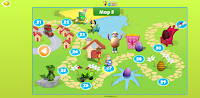 So what are the highlights of this program and why I would strongly recommend it for kids (whether at school or home). One of the best features is the Placement test at the beginning of the program, every child is suppose to do the test based on MCQs, which assess the child's basic level of reading and understanding. Based on the performance in the test, the child is assigned a reading level.Each reading level has different sets of lessons and activities to improve reading. Every child can be a different lesson on the map and doing completely different reading activities. Each child tries to improve himself/herself and there is no competition with each other but rather with himself/herself.
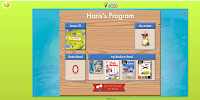 To make it more fun and interesting for kids, at the end of each activity kids are rewarded with a golden egg. Kids can use these eggs to shop for clothes or house furniture in the program. Furthermore, kids have the choice to either do the activities in the lesson, or choose to listen to songs, play a game, shop, or write their own story or publish a book (store factory).

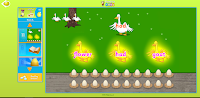 Furthermore, each activity in the lesson builds on the lesson in the previous activity , all activities are different, for example in one of the activities kids are asked to rearrange the words and make a word, followed by another activity where they click and identify the goose which has match words, in the third follow up activity they read a book which has words from the first two activities. Similarly in another activity,kids learn about letter I, differentiate between small and capital I by identifying letters in a grid of letters, identify I in different words, listen to sounds of different words and identify word families, drag and drop words to match pictures and so on. The activities move from simpler to complex and most important, kids can choose to repeat the activity as may times they want or move to next activity.
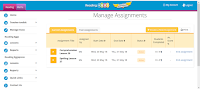
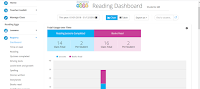 Lets move and explore the Teacher portal in Reading Eggs which is another very powerful feature of the entire program. As a teacher you can manage your students in the portal (add and remove students, print certificates, print class logins etc), assign lessons, activities, books to read to individual students, view student reports (which show a detailed view of student engagement in the program).
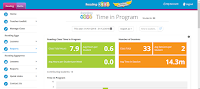
You can see reading lessons completed by every child, number of books read etc. You can also see stories written, certificates earned, lesson wise progress (spelling, lexical growth etc), time spent on tasks (total class time in hours), individual time spent by students on tasks etc.
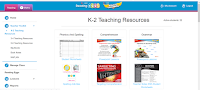 Another important feature is the availability of reading resources for teachers, teachers can find resources of different levels from K2, 3 - 4, 5 - 6, big books and use them with kids in their classes, along with student worksheets, PowerPoint lessons, spelling activities, handwriting activities, posters which can be saved and downloaded.
Another interesting feature is the huge library of big books available along with book notes very useful for teachers. Teacher can choose a level and select a book among a range of books. Books can be read by easily flipping pages, is a very interactive experience for the user, very colorful and the content is all age appropriate. Students can choose to listen to the story or read.
Overall a very engaging and meaningful learning experience for the kids, highly recommended for kids to be used both at schools and at home. I forgot to mention that the program offers a free trial for schools, which is worth a try before getting the paid program. Highlights of the program can be summed up in the following words: the program is very engaging, self paced, has differentiated activities, helps the child move from simple to complex, trial and error, caters to all kinds of learners, content is age appropriate and relevant and much more !!!!
Your turn to explore this amazing peice of program and give your kids the freedom to learn at own pace.
Happy Reading :)
Regards and prayers
Sheeba Ajmal
References
1. Reading Eggs
Weblink: https://readingeggs.com.au/
Accessed on 31st May 2018
Date: 30/05/2018 - Wednesday
This blog post is simply inspired from my recent dive into the Reading Eggs program by 3P Learning. It is basically a reading program aimed at improving and enhancing reading skills of kids through online interactive activities and games. I must say it has a very colorful, attractive and a very easy to use interface for kids. Its been almost two weeks or so since I have been using the free trial of the program with the kids at the SOS Children Village Peshawar . I was amazed to see their interest and engagement during the various activities. After a brief introduction kids were able to do the various activities on their own.  So what are the highlights of this program and why I would strongly recommend it for kids (whether at school or home). One of the best features is the Placement test at the beginning of the program, every child is suppose to do the test based on MCQs, which assess the child's basic level of reading and understanding. Based on the performance in the test, the child is assigned a reading level.Each reading level has different sets of lessons and activities to improve reading. Every child can be a different lesson on the map and doing completely different reading activities. Each child tries to improve himself/herself and there is no competition with each other but rather with himself/herself.
  To make it more fun and interesting for kids, at the end of each activity kids are rewarded with a golden egg. Kids can use these eggs to shop for clothes or house furniture in the program. Furthermore, kids have the choice to either do the activities in the lesson, or choose to listen to songs, play a game, shop, or write their own story or publish a book (store factory).
 Furthermore, each activity in the lesson builds on the lesson in the previous activity , all activities are different, for example in one of the activities kids are asked to rearrange the words and make a word, followed by another activity where they click and identify the goose which has match words, in the third follow up activity they read a book which has words from the first two activities. Similarly in another activity,kids learn about letter I, differentiate between small and capital I by identifying letters in a grid of letters, identify I in different words, listen to sounds of different words and identify word families, drag and drop words to match pictures and so on. The activities move from simpler to complex and most important, kids can choose to repeat the activity as may times they want or move to next activity.
 Lets move and explore the Teacher portal in Reading Eggs which is another very powerful feature of the entire program. As a teacher you can manage your students in the portal (add and remove students, print certificates, print class logins etc), assign lessons, activities, books to read to individual students, view student reports (which show a detailed view of student engagement in the program).
You can see reading lessons completed by every child, number of books read etc. You can also see stories written, certificates earned, lesson wise progress (spelling, lexical growth etc), time spent on tasks (total class time in hours), individual time spent by students on tasks etc.
 Another important feature is the availability of reading resources for teachers, teachers can find resources of different levels from K2, 3 - 4, 5 - 6, big books and use them with kids in their classes, along with student worksheets, PowerPoint lessons, spelling activities, handwriting activities, posters which can be saved and downloaded.
Another interesting feature is the huge library of big books available along with book notes very useful for teachers. Teacher can choose a level and select a book among a range of books. Books can be read by easily flipping pages, is a very interactive experience for the user, very colorful and the content is all age appropriate. Students can choose to listen to the story or read.
Overall a very engaging and meaningful learning experience for the kids, highly recommended for kids to be used both at schools and at home. I forgot to mention that the program offers a free trial for schools, which is worth a try before getting the paid program. Highlights of the program can be summed up in the following words: the program is very engaging, self paced, has differentiated activities, helps the child move from simple to complex, trial and error, caters to all kinds of learners, content is age appropriate and relevant and much more !!!!
Your turn to explore this amazing peice of program and give your kids the freedom to learn at own pace.
Happy Reading :)
Regards and prayers
Sheeba Ajmal
References
1. Reading Eggs
Weblink: https://readingeggs.com.au/
Accessed on 31st May 2018
Comments
Post a Comment