Understanding the Teaching System on WIZIQ : Creating Courses
Presenter : Dr Nellie Deutsch
Thursday June 12, 2014
I could not attend the live webinar so I viewed the recording available on line. I could not connect to other attendees but found the question answer session and web links shared during the session very helpful. This was one of the third webinars about Teaching online with WIZIQ.
I found it extremely interesting. The presenter began with the basics of how to develop a course using WIZIQ. Session started with a review of June, talked about home and profile, adding content and scheduling a class. The presenter asked questions about link to that day’s presentation, account on wiziq, link to course etc. the presenter demonstrated how to create a course on wiziq (talked of free and paid courses, how to add a pay pal account etc). She also discussed the type of courses that could be created like paid, private and MOOC. When creating a course need to add a course title, mention duration, create a course profile, category, highlights.
A number of questions crossed my mind while listening to the webinar. I kept thinking of which course to create for my teachers in our school, how would I train them using wiziq, what course should be appropriate? What steps to follow? Timing of course? Duration of course? How would I find the content? How would it be shared? What tools would I need? Would it be user friendly? And a dozen other questions crossed my mind.
We have initiated a project titled ELE Enhanced Learning Environments in our 12 Schools last year, in which we have equipped our classrooms with technology tools like digital cameras, tablets, computer, multimedia projector, promethean boards etc. Lesson plans have been developed embedding technology into curriculum. This year the project would be extended to newer branches and this would surely increase the load on the training team and face to face trainings would be a little difficult.
Some ideas came up , if I could plan a short course free, for our teachers on how to use technology effectively in early years, compromising of two modules ( lesson planning, use of tablets, use of apps, assessment etc), three session each, and share with a core group of teachers. These teachers could then share this with their peers. Teachers from different schools could interact with each other too. Some random thought but could be worked upon for future.
If i could try, I would be able to develop a course and this would really help our teachers. One of the best things about the webinar is the aura that is created by the presenter Dr Nellie Deutsch. She has a very warm welcoming nature and coveys things in a very easy manner, encourages questions and is never irritated. Its like sitting at home and talking to a family member.
I would surly like to work on creating a course since we are extending the project and we would be training teachers. We can reach a wider audience in less time by using this tool and the results would be very positive. The challenge at the moment is to introduce this tool to my upper management and convince them to use it as a training tool for future.
I would want to research about the use of tool wiziq for training early year children? How could they use the interactive white board features? Or how could teachers engage learners using the interactive white board? Can this app be installed on tablets and how would this be useful to both learners and teachers.
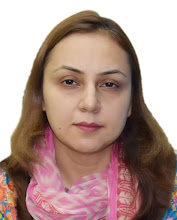
Sheeba Ajmal
Comments
Post a Comment